
Apple Watch guide
How to start a focus session on Apple Watch
Petaltide lets you start and control a focus session from Apple Watch. The free Apple Watch app works with your paired iPhone. Petaltide Premium adds independent sessions that can run on the watch without the iPhone nearby.
Set up Petaltide on your iPhone and watch
Install Petaltide on the paired iPhone and open it to set up your timer. If Petaltide doesn’t appear on the watch, open the Watch app on your iPhone and install Petaltide from the available apps. Open Petaltide on the watch while the iPhone is nearby to let the timer sync.
Start the timer from your wrist
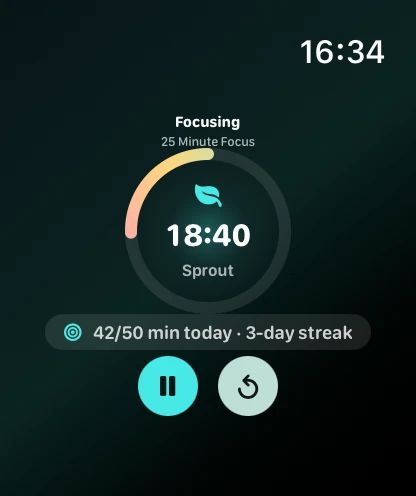
Open Petaltide on Apple Watch and tap the play button to start. The watch shows the countdown and the plant’s progress. Use the pause or reset buttons when you need them. For a free session, select the 15-minute Quick Reset preset on the iPhone and keep the paired phone within reach.
Use Premium to focus without the iPhone nearby
With Premium active, open Petaltide on the watch while the iPhone is reachable so the watch can sync its presets and access. When the watch offers a preset picker, choose a session and tap play. The watch can run that session on its own.
What’s free and what requires Premium?
The 15-minute Quick Reset, paired Apple Watch controls and watch face complications are free. Premium is a subscription that adds independent watch sessions, longer sessions and custom presets. Petaltide is also available on iPhone, iPad and Mac.